The list your household can trust.
That list on your fridge, or in your pocket, was always one person's job. This one belongs to your whole household. Plan the week's meals, shop them together, and it learns how you shop.
Nobody has ever enjoyed a grocery run.
Shopping without a list takes longer, costs more, and you still get home missing the one thing you went for. Shopping with a list means somebody had to build the list — and that somebody is always the same somebody.
So most households run on a half-remembered list in one person's head, and everyone else guesses. You get home with the oat milk. So does your partner. Or nobody does.
Here's the part nobody says out loud: you don't need a budget to control what you spend on food. You need a list. The impulse buy is what happens when you're wandering. Groceries are one of the biggest checks your household writes every month, and it's the one nobody's actually running.
We called it provisions, not groceries, for a reason. When you stock a boat you can't run back to the store — so you plan well, waste less, and get it right together. That's what we're bringing home to the kitchen.
Built small, on purpose.
Real households have been shopping on this since June, and planning their week on it since September. Everything here earned its place by being watched.
Plan the week
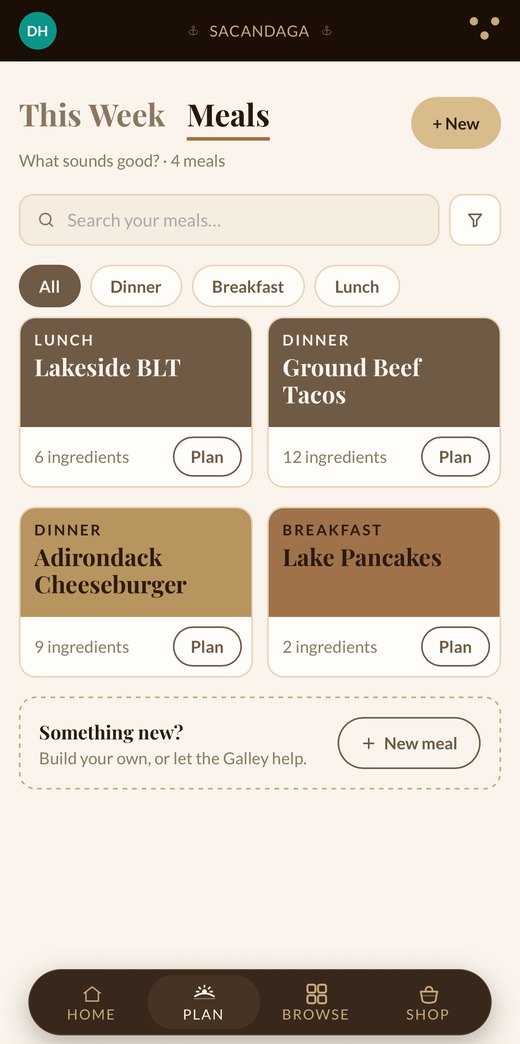
What sounds good?
Every meal your household makes, in one place. Filter by dinner, breakfast or lunch, and tap Plan on whatever sounds good this week.
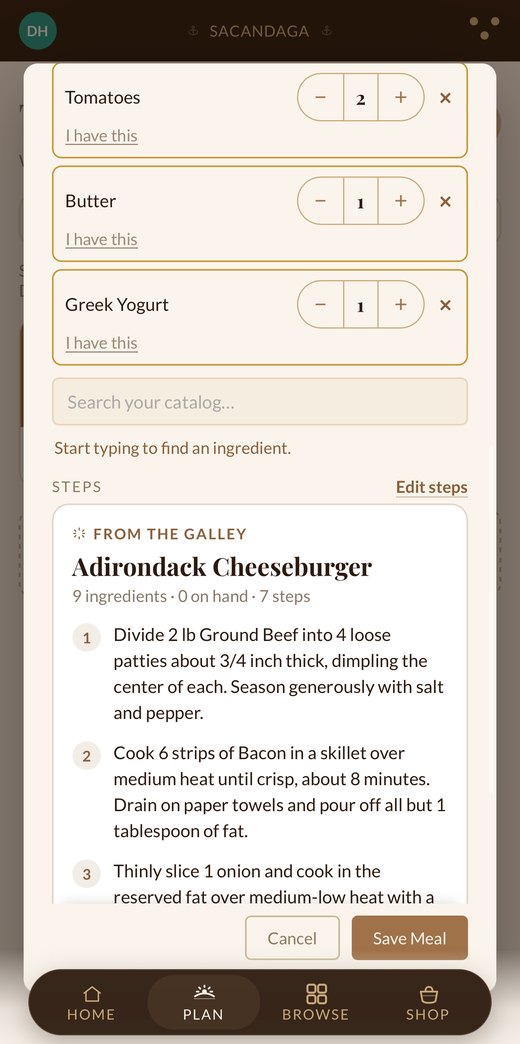
Ask the Galley
Name a dish, or just say it, and the Galley writes the recipe: ingredients, amounts and steps, ready for you to edit. Already have the butter? Tap I have this and it stays off the list.
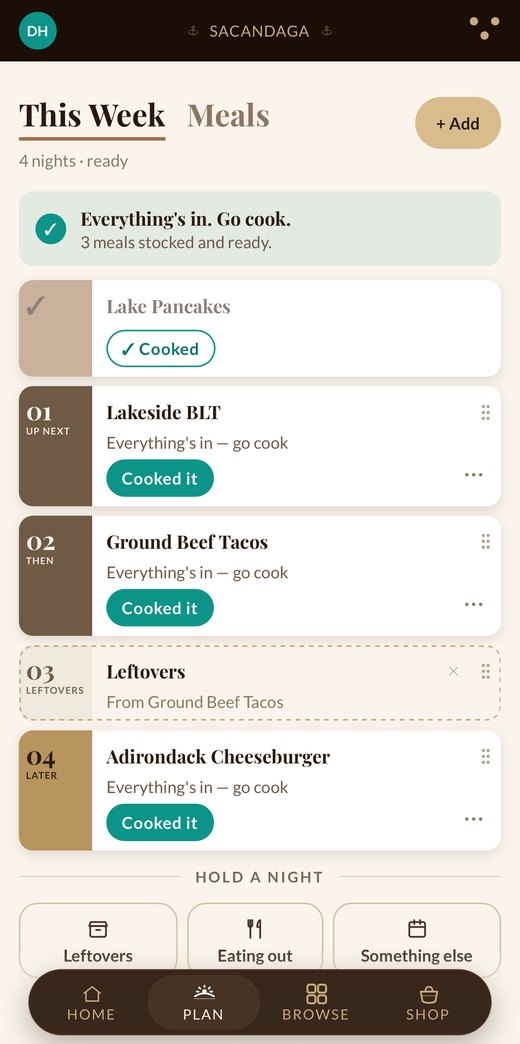
The week, in the order you'll eat it
Drag meals into the order you want them, and hold a night for leftovers or eating out. When everything's bought, it tells you so. Go cook.
Shop it together
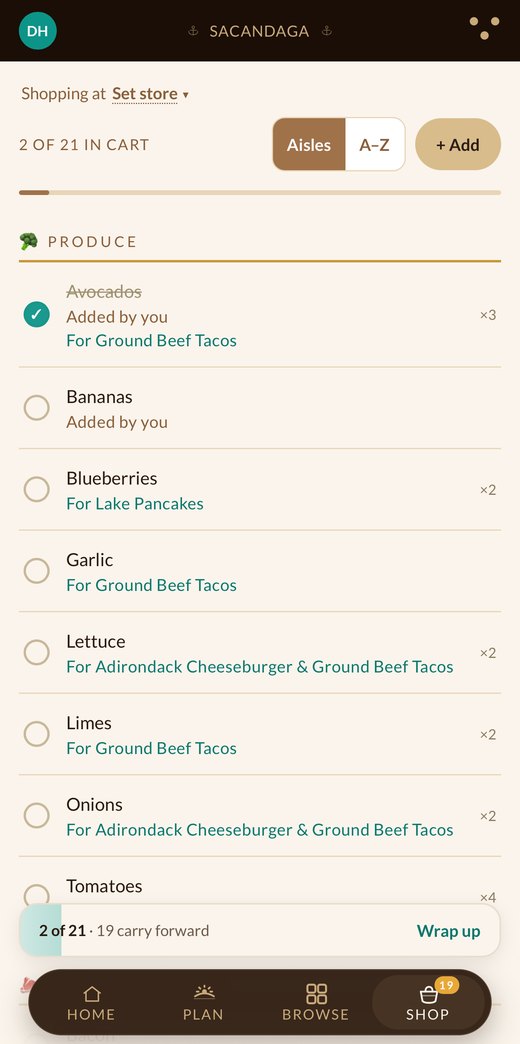
Get in, get out, get it right
Every item knows which meal it's for, so nobody stands in the aisle wondering why the list says onions. Check things off and the list shrinks on everyone's phone. Whatever you skip carries forward to the next trip.
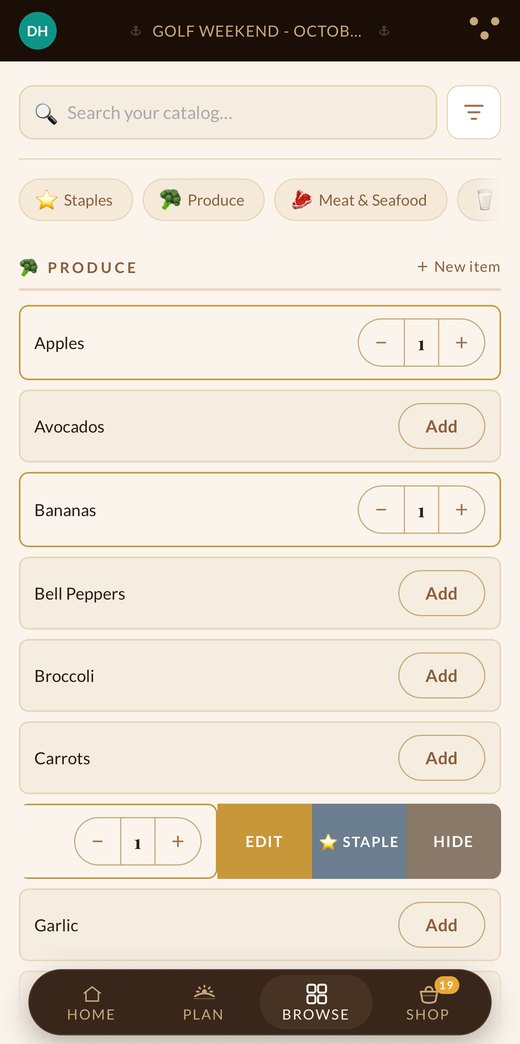
The stuff you buy every week
Everything your household actually buys, in one place. Add what you need in a tap — and mark your staples so they stop being your problem to remember.
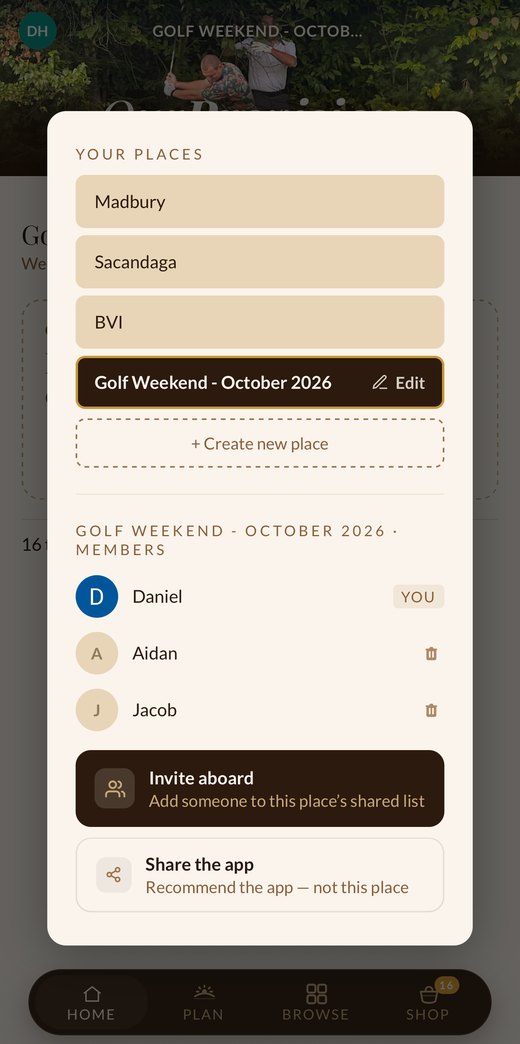
Hand it to your crew
Add the people you live with and the list is theirs too — same list, same moment, whoever's at the store. Run more than one place, like the lake house, the boat or a golf weekend? Each keeps its own list and its own crew. A list one person keeps is a chore. A list everyone keeps is just how the house runs.
Where we're headed.
What we're building next, roughly in this order. None of it is in the app yet, and the households trying it now will see each one first.
Bring your own recipes
Screenshot a recipe you love, from a site or a cookbook, or paste it in. It becomes a meal you can plan.
Give a recipe
Send a family favorite to another household. It arrives ready to plan, with your name on it.
Your store, in order
The app learns how your store is laid out and puts your list in walking order. One of our testers asked for this before we'd shown it to anyone.
Receipts
Snap the receipt at the end of the trip and see what your household really spends on food.
OurProvisions is our first waypoint.
Velayo builds apps that help people live healthier, happier, and lighter on the earth. We started with the grocery list because everyone eats — and because the people you share a list with are the same people you'd share everything else with.
Come aboard.
Come try it while it's still taking shape. There's one price of admission: tell us how your household shops.
We'll only ever use this to get you set up on OurProvisions. No lists, no noise.